 Support
 Signup
 Login
Login




Microsoft Office 365
Save 70% Compared to Vendor Pricing


Microsoft 365 Business Basic
Top Features
- Chat, call, and video conference with Microsoft Teams
- Web and mobile versions of Word, Excel, PowerPoint, and Outlook
- 1 TB of cloud storage per employee
- Automatic spam and malware filtering
- Anytime phone and web support
Web and mobile apps and services
 Teams
Teams One Drive
 Share Point
 Exchange
 Word
Word Excel
Excel Power Point
 Outlook
Microsoft 365 Apps for business
Top Features
- Desktop versions of Word, Excel, PowerPoint, and Outlook
- 1 TB of cloud storage per employee
- Automatic spam and malware filtering
- Anytime phone and web support
Desktop, web, and mobile apps and services:
- One Drive
- Word
- Excel
- Power Point
- Outlook
 Access (PC only)
 Publisher ( PC only)
Microsoft 365 Business Standard
Top Features
- Desktop versions of Word, Excel, PowerPoint, and Outlook
- Webinars with attendee registration and reporting
- Attendee registration and reporting tools
- Manage customer appointments
Everything in Business Basic, plus:
Desktop, web, and mobile apps and services:
- Teams
- One Drive
- Share Point
- Exchange
- Word
- Excel
- Power Point
- Outlook
- Access(PC only)
- Publisher ( PC only)
Microsoft 365 Business Premium
Top Features
- Advanced security
- Access and data control
- Cyberthreat protection
Everything in Business Basic, plus:
Desktop, web, and mobile apps and services:
- Teams
- One Drive
- Share Point
- Exchange
- Word
- Excel
- Power Point
- Outlook
 Intune
 Microsoft Purview
- Access (PC only)
- Publisher (PC only)


Everything Your Team Needs - All in One Powerful Suite
Outlook
Professional Email
Teams
Secure Video Meetings
OneDrive
Cloud File Storage
Word
Create, Share and Work on Documents
Excel
Collaborative Spreadsheets
PowerPoint
Create Presentations Together
SharePoint
Collaborate and Manage Content
Exchange
Business Email and Calendar
Access
Create and Manage Databases
Publisher
Create Professional Publications
Intune
Manage Devices and Apps
MS Purview
Protect and Classify Data
Transform Your Business by Migrating to Microsoft 365
Why Choose Microsoft Office 365 for Your Business?
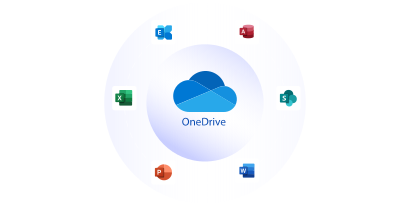
1 TB Storage
You no more need to be worried about surpassing the storage. Get ample storage for all your Microsoft 365 business apps.

Real-Time Collaboration
Add, create, delete and edit all your Word, Excel, and PowerPoint files in real time. All the changes will be reflected within the team members at the same time.

Business Email
Get professional email accounts like name@companyname.com for your business with 50 GB of mailbox storage.

Work Remotely
One of the biggest advantages of Microsoft 365 is the ability to work from anywhere, anytime, with all your files securely stored in the cloud.

Easy Data Migration
All your important business files can be effortlessly moved to Microsoft 365 with the help of migration tools and service.

Easy Sharing
All the information like invoices, documents, files can easily be shared with your colleagues or clients with just a few clicks.

Secured by Microsoft
Get excellent encryption which is highly secure, reliable. Microsoft has state-of-the-art algorithms that identify any suspicious activities.
Flexible Solutions for Modern Business Collaboration

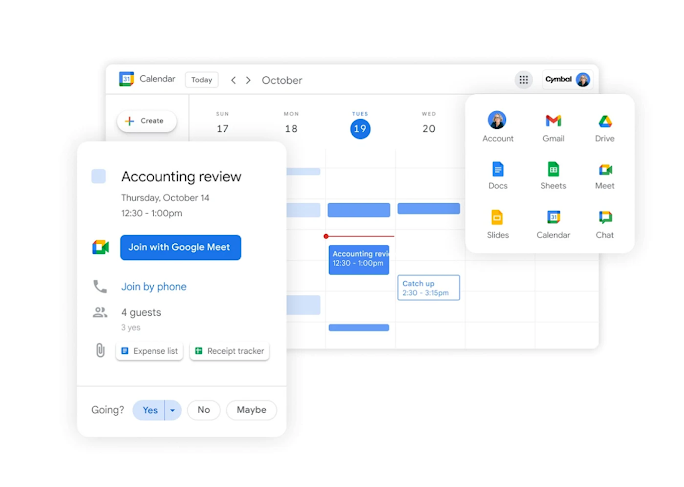

Bring your ideas to life with AI-powered tools in Microsoft 365. Edit photos and videos effortlessly, design with precision, and overcome writer’s block with intelligent suggestions that inspire creativity.
Protect your digital world with advanced security features that safeguard your photos, documents, and devices - including phones, tablets, and computers - keeping your information safe and private.
Boost productivity with AI-driven features in Microsoft 365. Start quickly, stay organized, and manage your work efficiently across all your devices with seamless app integration and cloud storage.
Let Microsoft Copilot simplify your daily tasks — from writing and research to data analysis and creative design. It provides clear insights, quick answers, and intelligent assistance every step of the way.
Why Choose NTSPL Hosting?
24/7 Expert Hosting Support
You Can Count On
- 99.9% Uptime Guarantee
- 30 day Money-Back Guarantee
- Free Services With Every Domain
- Localized India Hosting
- Trusted by World’s Leading Brand

Frequently
Asked Questions
Microsoft 365 is the productivity cloud designed to help each of us achieve what matters, in our work and life, with best-in-class Office apps, intelligent cloud services, and advanced security.
There are no price or feature changes for small and medium business plans. The same plans are available and only the plan names have been updated.
Install Office apps on up to five PCs or Macs, five tablets, and five mobile devices. Hybrid Windows devices, such as the Microsoft Surface Pro, count as either a PC or a tablet.
Pay with all major credit cards, and your subscription amount will appear on your credit card statement. For Microsoft 365 business plans, you have the option to receive an invoice and, depending on your choice of services, you’ll be billed monthly or annually. Receive an email message when your invoice is ready to be viewed and, if a purchase order number is entered when you buy your subscription, that number is included in your invoice.
The Office apps that you install on your PC or Mac—such as Word, Excel, PowerPoint and Outlook—are available to you when you’re not online. With OneDrive in Microsoft 365, get file storage that you can access when you’re offline. When you make changes while offline, they’ll be synced to OneDrive and across the rest of your devices when you reconnect. With Outlook, read emails already delivered to your inbox or draft new emails and meeting requests. Your inbox and outbox will sync across the rest of your devices when you reconnect.
Your data is yours. If you decide to cancel your Microsoft 365 subscription, download your data—for example, your email and documents on team sites—and save it to another location. You should save your data before you cancel. After you cancel your subscription, data associated with your Microsoft 365 account will be available to your administrator(s) in a limited function account for 90 days.
Find more answers to frequently asked questions on our Microsoft 365 for business FAQ page.
Yes. If you purchase Microsoft 365 licenses for the accounts you create during your free trial, the information and configuration for these users' accounts will remain intact. Once your free trial expires, you’ll have an additional 30 days to purchase Microsoft 365 before your account information is erased. Once your trial account information has been erased, it can’t be retrieved.
You manage Google Workspace in the Admin console. Sign in to admin.google.com using your Google Workspace username. Your username is associated with your domain, for example, you@your-company.com.
With Microsoft 365 Business Basic, Microsoft 365 Business Standard, Microsoft 365 Business Premium, and Microsoft Apps for Business plans, you can host online meetings and video calls for up to 300 people using Microsoft Teams.
With Microsoft 365 E3/E5, Microsoft 365 A3/A5, and Microsoft 365 Government G3/G5 plans, this limit increases up to 1,000 people.
